Save big on backing tracks today!

Best Online Guitar Effects for Beginners
Published by BackingTracksVerse | Guitar Gear & Tips
BackingTracks Verse
5/14/20264 min read
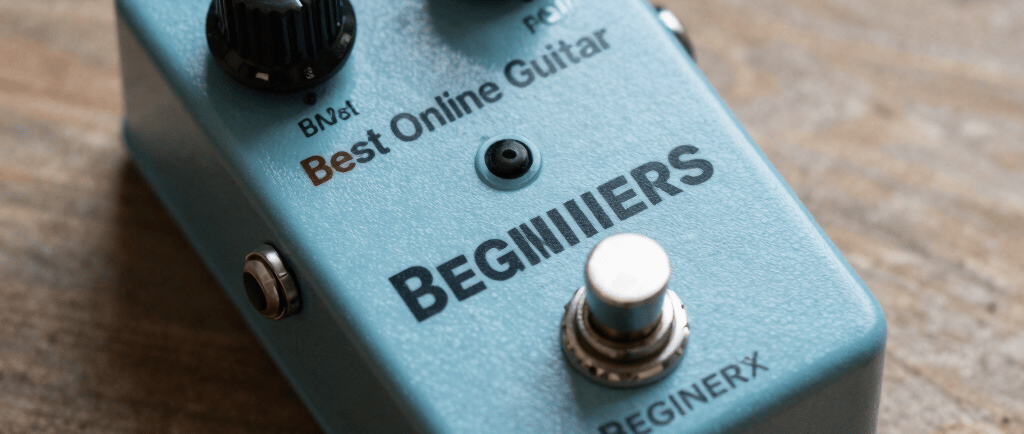
If you're just starting out with guitar, the world of effects pedals can feel overwhelming. Distortion, reverb, delay, chorus — where do you even begin? The good news is that you don't need to spend hundreds of euros on hardware to start experimenting with guitar effects. Today, there are powerful online guitar effects tools that run directly in your browser, completely free.
In this guide, we'll break down the best online guitar effects for beginners, explain what each effect does, and show you how to use them to develop your own sound.
---
## Why Start with Online Guitar Effects?
Before investing in physical pedals, online guitar effects give you the perfect way to:
- Experiment freely — try different sounds without spending money
- Learn what each effect does — understand the basics before buying hardware
- Practice at home — no need for a full pedalboard setup
- Play anywhere — all you need is a browser and a microphone or guitar interface
For beginners especially, online effects are a low-risk way to discover which sounds inspire you most.
---
## The Essential Guitar Effects Every Beginner Should Know
### 1. Distortion
Distortion is the foundation of rock, metal, and blues guitar. It clips the guitar signal to create that characteristic crunchy, aggressive sound.
What to adjust:
- Gain — controls how much distortion you get. Low gain = light crunch, high gain = heavy metal
- Tone — shapes the brightness of the distorted sound
- Mix — balances the dry (clean) signal with the distorted signal
Best for: Rock, metal, blues, punk
Beginner tip: Start with the gain around 40-50% and adjust from there. Too much gain can make your playing sound muddy.
---
### 2. Chorus
Chorus creates a lush, shimmering effect by layering a slightly detuned and delayed copy of your signal on top of the original. It makes a single guitar sound like multiple guitars playing together.
What to adjust:
- Rate — how fast the pitch modulation moves
- Depth — how much the pitch varies
- Mix — how prominent the chorus effect is
Best for: Clean tones, pop, 80s rock, funk
Beginner tip: Use chorus subtly on clean tones. A little goes a long way — too much can sound unnatural.
---
### 3. Delay
Delay repeats your guitar signal after a set amount of time, creating an echo effect. From subtle slapback to long ambient repeats, delay is one of the most versatile guitar effects available.
What to adjust:
- Time — how long between each repeat (in milliseconds)
- Feedback — how many times the repeat echoes
- Mix — how loud the repeats are compared to the original signal
Best for: Rock solos, ambient music, country, U2-style arpeggios
Beginner tip: Try setting the delay time to match the tempo of the song you're playing. This makes the repeats feel musical rather than random.
---
### 4. Reverb
Reverb simulates the natural echo of a physical space — a small room, a large hall, a cathedral. It adds depth and atmosphere to your guitar tone.
What to adjust:
- Room size — small rooms give a subtle reverb, large halls give a huge, spacious sound
- Decay — how long the reverb tail lasts
- Mix — how much reverb is added to the signal
Best for: Almost every style — reverb is the most universally used guitar effect
Beginner tip: Always use some reverb when playing clean tones. Even a small amount makes the guitar sound more natural and polished.
---
### 5. EQ (Equalizer)
EQ lets you shape the frequency content of your guitar signal — boosting or cutting bass, mid, and treble frequencies. It's less of a creative effect and more of a tone-shaping tool.
What to adjust:
- Bass (80Hz) — controls the low-end warmth
- Low-mid (250Hz) — affects the body of the sound
- Mid (1kHz) — the presence and clarity
- High-mid (4kHz) — attack and bite
- Treble (12kHz) — brightness and air
Beginner tip: If your tone sounds muddy, cut some bass and low-mids. If it sounds thin, boost the mids slightly.
---
## How to Chain Guitar Effects Together
The order in which you place effects matters. Here's the standard signal chain for beginners:
```
Guitar → EQ → Distortion → Chorus → Delay → Reverb → Output
```
This order ensures that the distortion shapes your fundamental tone, and the time-based effects (delay, reverb) process the full distorted signal rather than getting distorted themselves.
---
## Try These Effects for Free with Our Online Jam Tool
At BackingTracksVerse, our free Jam Tool includes all five of these essential effects in a virtual pedalboard — EQ, distortion, chorus, delay and reverb — ready to use directly in your browser.
👉 [Open the Jam Tool](https://pigmeu26-svg.github.io/Studio/) and start experimenting today.
You can plug in your guitar via a USB audio interface, or simply use your device microphone to hear the effects in real time. Combine the virtual pedalboard with our chord sequencer and drum machine for a complete practice setup.
---
## Moving from Online Effects to Real Pedals
Once you've experimented with online effects and discovered which sounds you love, you'll have a much clearer idea of which physical pedals to buy. Instead of guessing, you'll know exactly what you're looking for.
A good starter pedalboard for beginners might include:
- A multi-effects pedal (like the Boss ME-80 or Line 6 HX Stomp) — gives you all the basic effects in one unit
- A standalone distortion pedal (like the Boss DS-1 or ProCo RAT)
- A reverb pedal (like the TC Electronic Hall of Fame)
But before spending any money, spend some time with online effects first. You might find that a virtual pedalboard covers everything you need for practice and recording.
---
## Final Thoughts
Guitar effects are one of the most exciting parts of playing guitar. They let you shape your own unique sound and open up entirely new musical possibilities. As a beginner, online guitar effects are the perfect starting point — free, accessible, and endlessly fun to experiment with.
Start with the basics: a touch of distortion for rock tones, some chorus for clean playing, delay for solos, and reverb for everything. Once you understand how each effect works, the rest will follow naturally.
---
Ready to start experimenting? Try our free online virtual pedalboard at [BackingTracksVerse Jam Tool](https://pigmeu26-svg.github.io/Studio/) — no download required.
Looking for backing tracks to practice with? Browse our [full collection](https://backingtracksverse.com/shop).
Brand
Explore our sleek website template for seamless navigation.
Contact
Newsletter
© 2024. All rights reserved.